How do I change my group order from pickup to delivery?
As long as the group order has not yet been placed, you can adjust the order from pickup to delivery or vice vera.
On the Chopt Website:
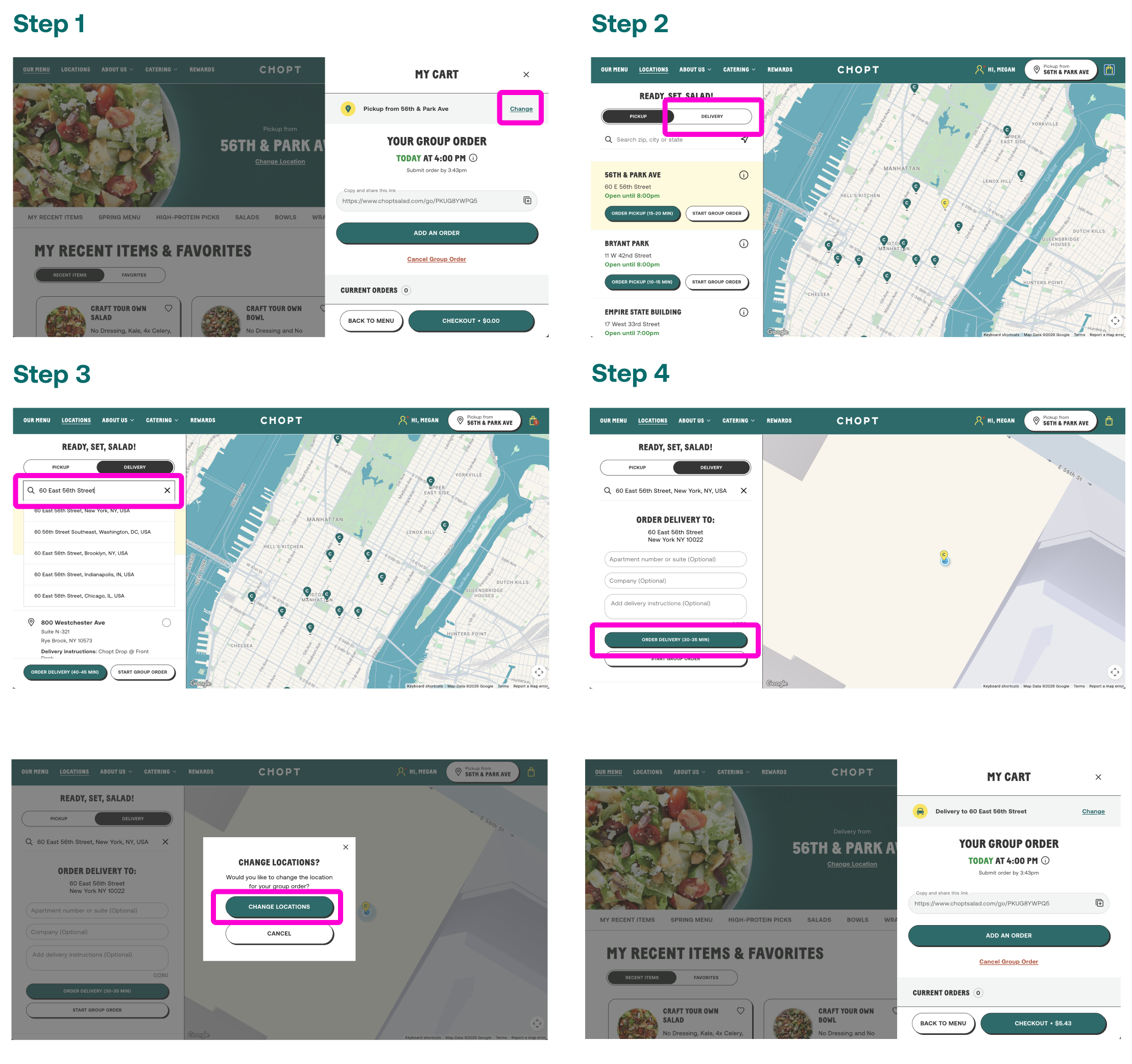
1. From the Group Admin Cart, select Change
2. Toggle to Delivery
3. Enter the delivery address in the search bar and select an option from the drop down menu (or choose a saved address, if available)
4. Scroll down and select Start Group Order
5. In the Change Locations pop-up, select Change Locations
6. Your Group Order will now display the newly selected delivery address